
DevAssist · Mendix Studio Pro extension

Shift left. Catch issues the moment they appear.

Use the Omnext DevAssist extension for Mendix Studio Pro to catch any quality- or security risks before committing your changes. Analysis on demand. Instant results.

Included for free in each Omnext license. Available for every user without any limits.
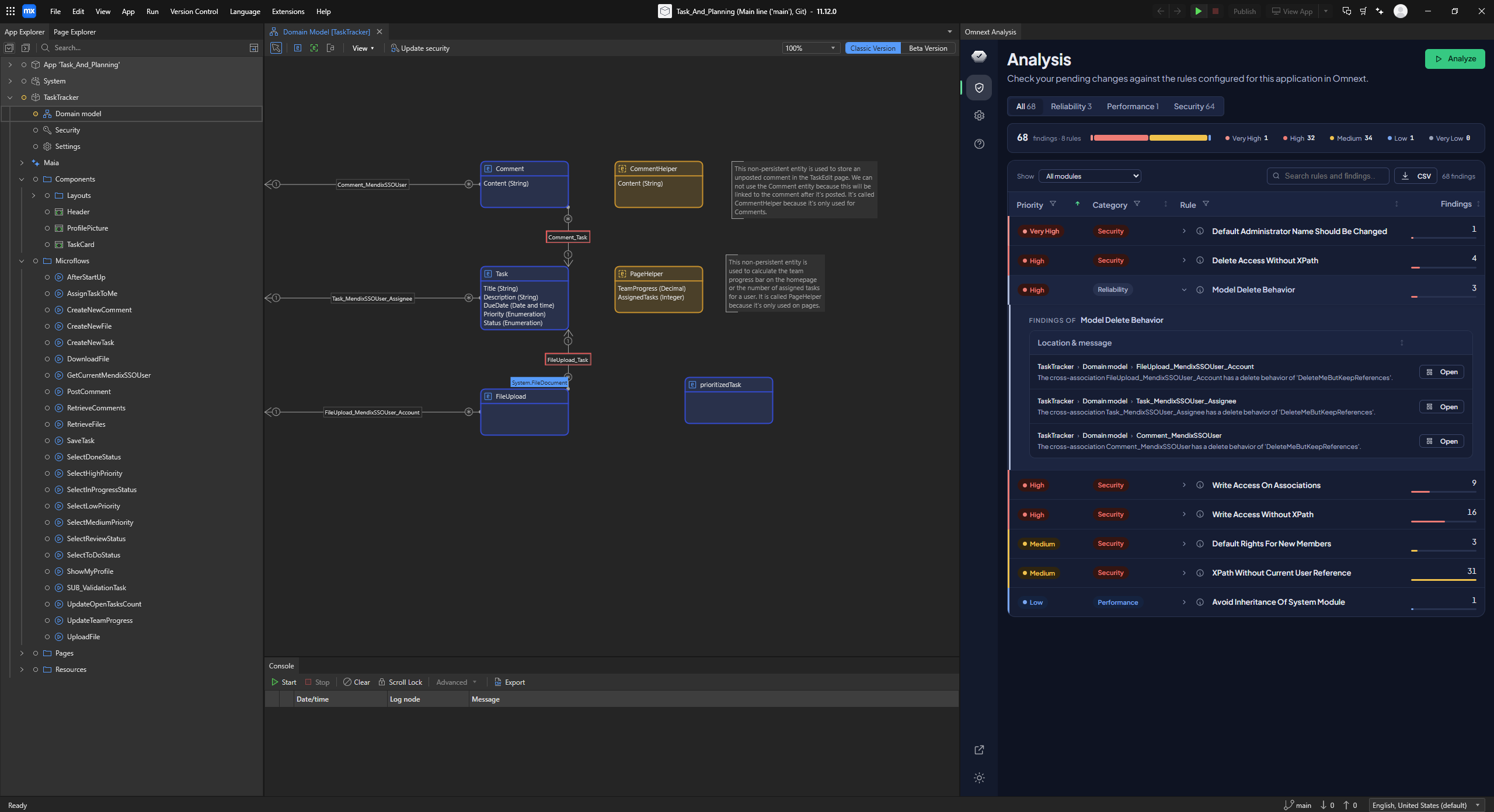
Omnext_DevAssist_in_Studio_Pro
Why developers use it

The same engine as the portal, at the point of creation.

Scan on demand

Scan your changes with just a click of a button and get almost instant results.

One engine, one result

What DevAssist flags is what the portal and the pipeline flag. No surprises at review.

Cleaner, safer apps from the first commit

Quality and security findings while the change is still cheap to fix.

Getting started

Four steps to your first in-Studio Pro scan.

01

Download the extension

The installer below sets up the Extension Manager, which keeps DevAssist up to date.

02

Add your API key

Issued to organisations with an active Omnext licence, managed in the portal.

03

Scan on save

Findings appear in Studio Pro with the rule, the severity and the fix.

Download

Get DevAssist for Studio Pro.
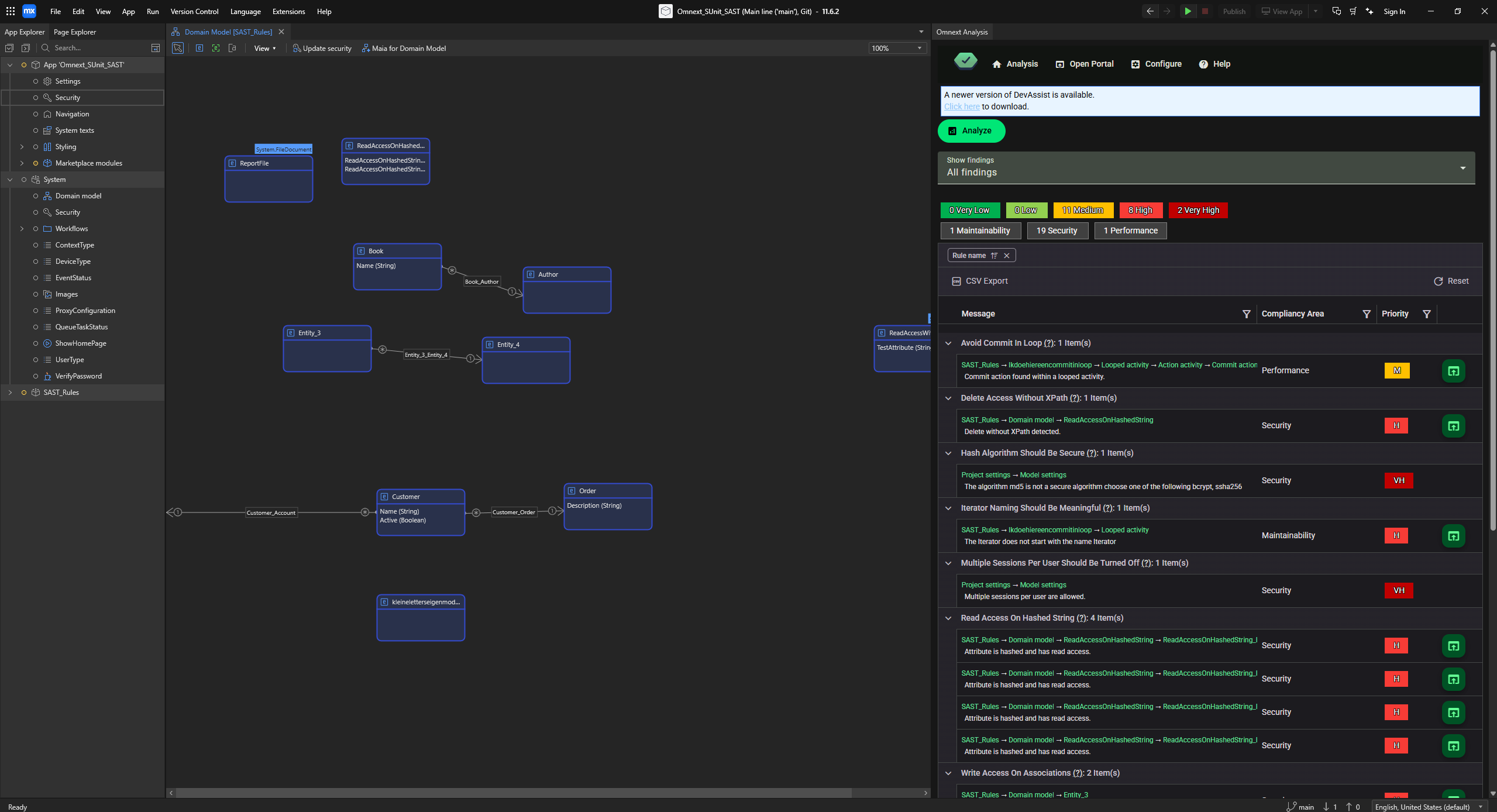
Omnext DevAssist in Mendix Studio Pro
Version 1.0Released 1 June 2026Windows x64 · zip

Omnext DevAssist for Mendix Studio Pro

The DevAssist Extension Manager installs the extension and keeps it up to date. Install it once; newer versions arrive through the manager, so there is no need to download individual releases.

Compatibility
Mendix Studio Pro 10.24 (LTS) or higher
Requirements
An Omnext API key, issued with an active subscription
Download the installer

Free for Omnext customers. Request a demo if you do not have an API key yet.

FAQ

Frequently asked

Does DevAssist upload my model?
No. The scan runs locally against the model you have open.
Is there a free trial?
DevAssist is part of the Omnext subscription and needs an API key. Request a demo and we set you up the same day.
Which Studio Pro versions are supported?
Mendix Studio Pro 10.24 (LTS) or higher.
Next step

Bring the review into Studio Pro.

Request a demo and get DevAssist with your subscription.